Epson & PJLink projectors

The control your projector always deserved.

Power, input, the full picture menu, motorized lens shift, focus and zoom, one-tap Scenes, and real home automation - for Epson and PJLink projectors, straight from your phone. No ads. No subscription. No cloud account.
29 languages Android · iOS · Windows · macOS One-time purchase Works on your network
ESC/VP21PJLinkWeb ControlHome AssistantHubitatWebhooks

Coming soon to the app stores →

Projector Pilot dashboard
What it does

Every control your projector exposes, in one clean app.

Projector Pilot talks to your projector over ESC/VP21, PJLink and Epson Web Control at once, using whichever answers - so you get power, picture, geometry and lens control that actually works, with values read back from the projector, never guessed.
Dashboard
Dashboard

Everything at a glance, built the way you want it.

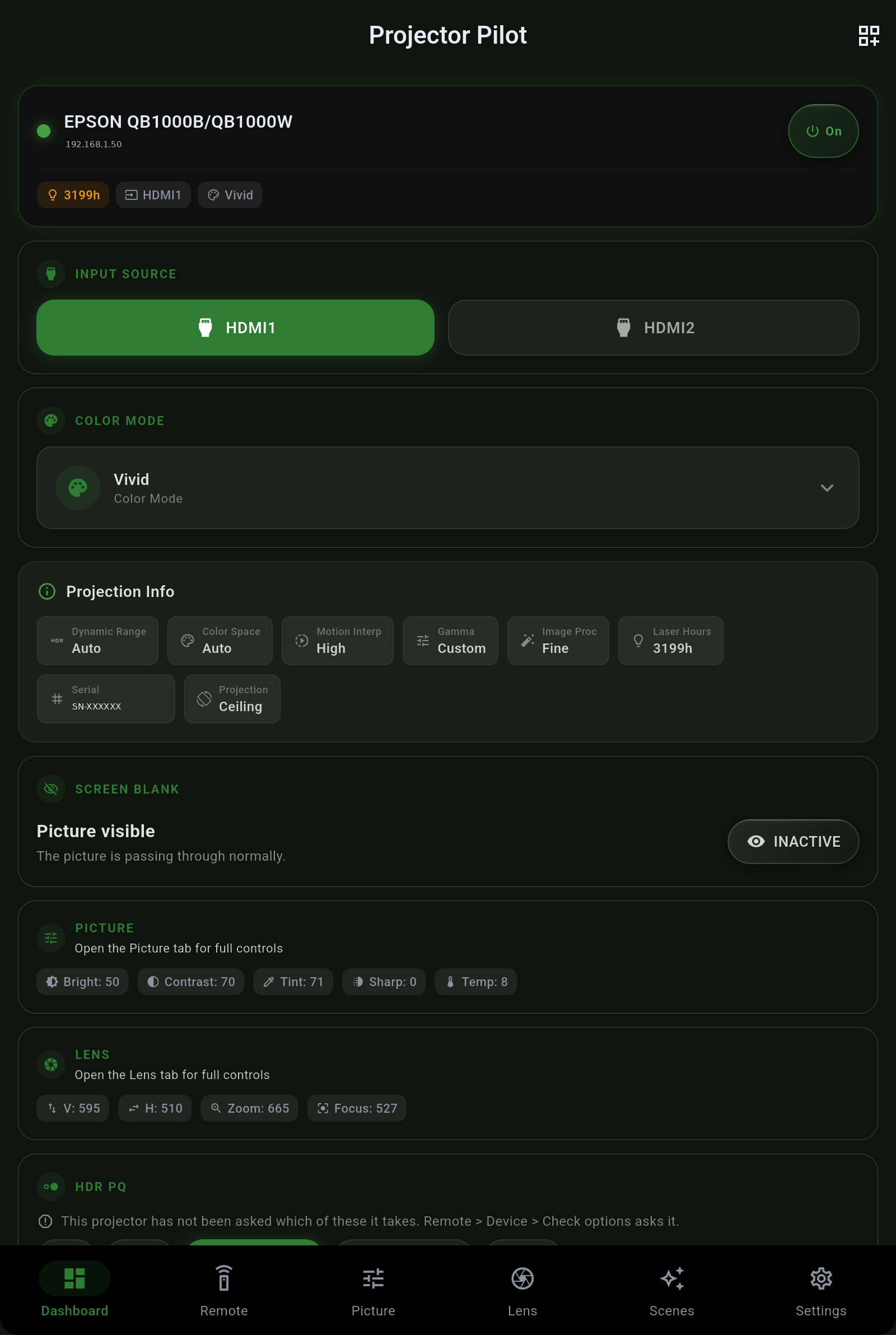
  • Live status - power, input, color mode, light-source hours, signal and picture figures, updated as they change.
  • One-tap power and input right from the top, with a warm-up and cool-down aware power pill.
  • Customizable cards - add, hide and reorder the cards so the dashboard shows what matters to you.
  • Projection info - dynamic range, color space, gamma, laser hours, serial and mount, read from the projector.
RemotePicture
Remote & Picture

A deep remote and the full picture menu.

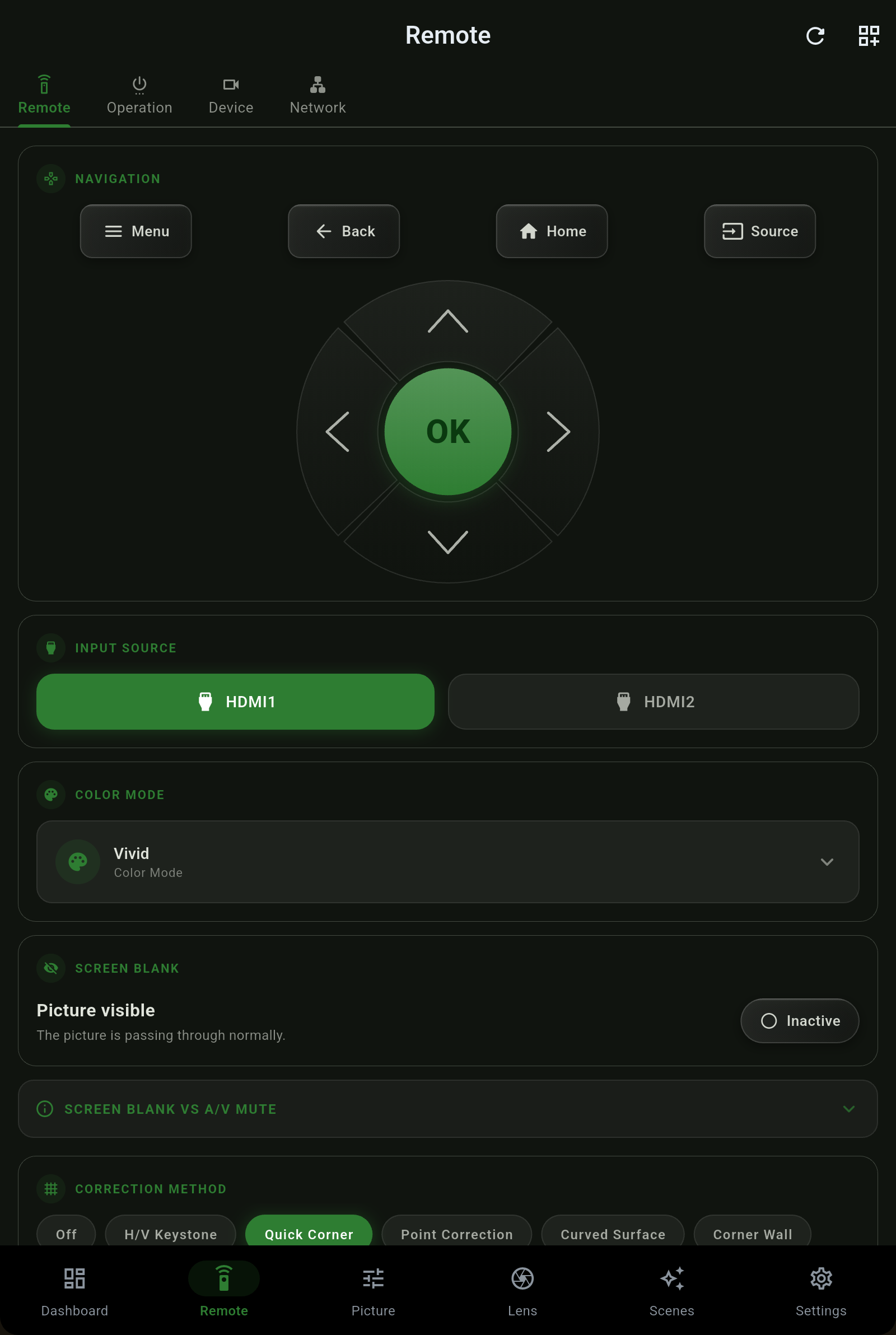
  • Full navigation D-pad, menu, source, and screen blank - the on-screen remote, done right.
  • Correction method - H/V keystone, Quick Corner, point correction, curved surface and corner wall.
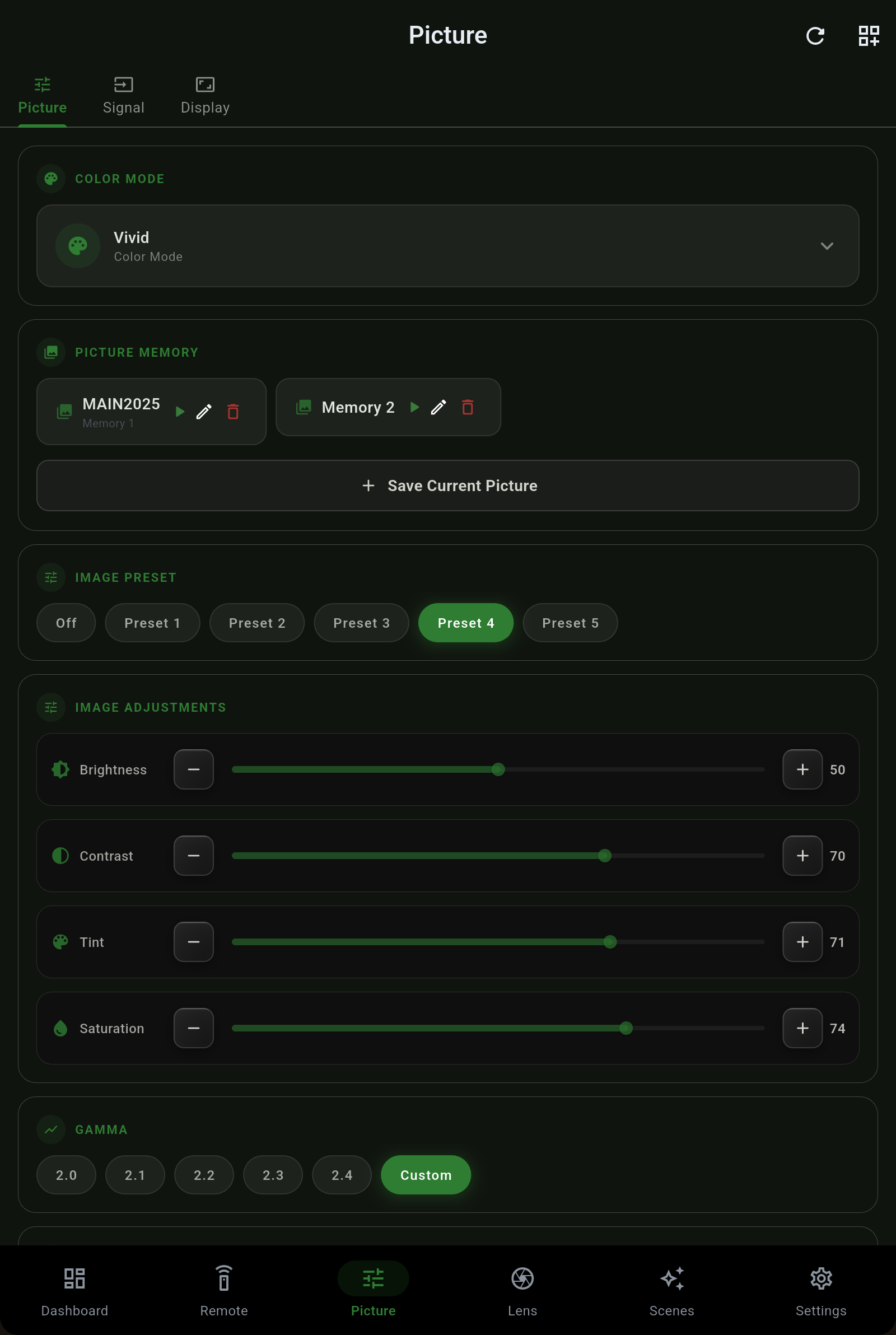
  • Full picture control - brightness, contrast, tint, sharpness, color temperature, gamma, HDR and the deep picture menu, each on the projector's own scale.
  • HDR and color space are separate - a BT.2020 SDR signal reads as exactly that, never a false HDR badge.
Lens
Lens

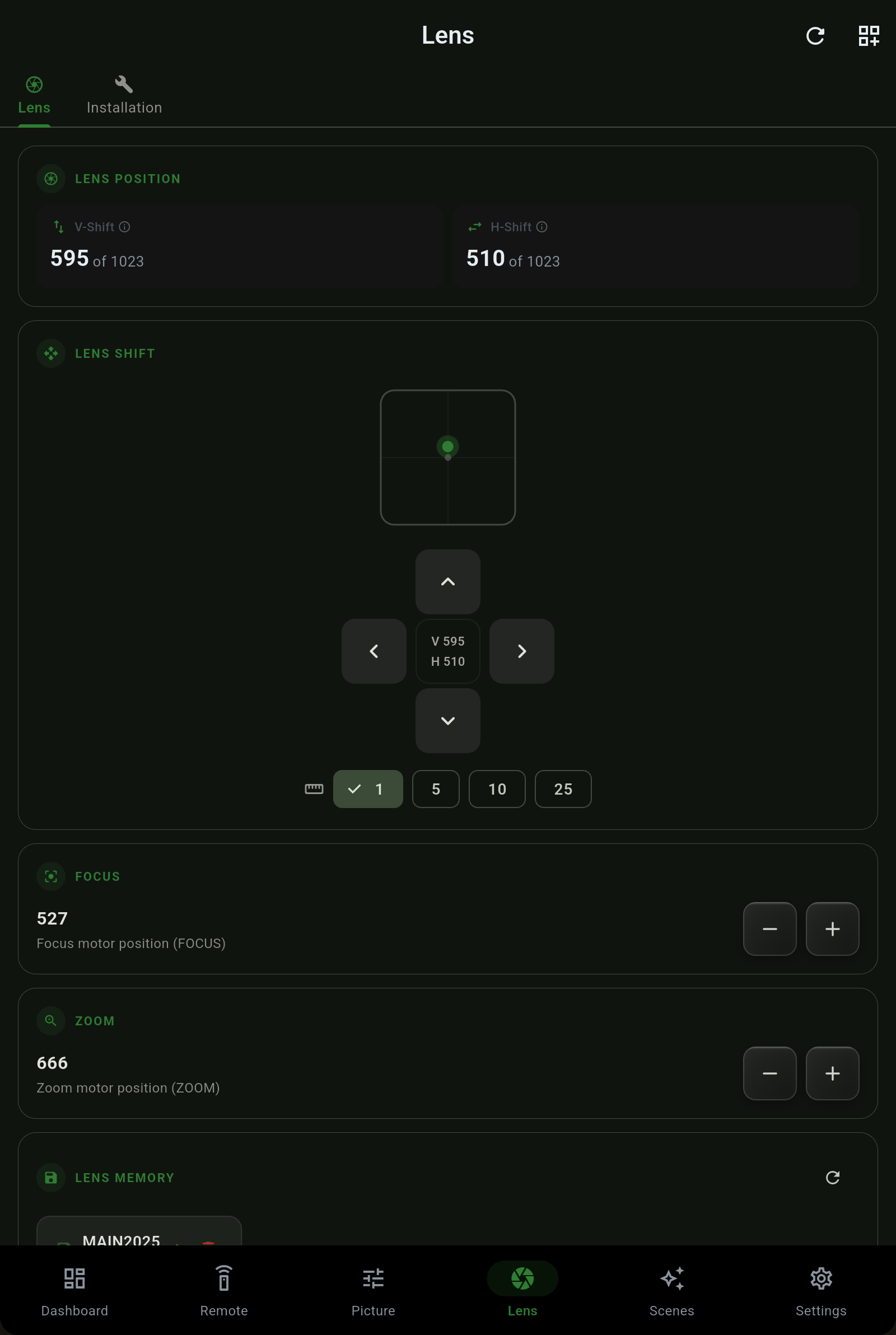
Motorized lens shift, focus, zoom and memories.

  • Shift, focus and zoom from a precise pad, with a step size you choose - fine for framing, coarse for big moves.
  • Lens memories - recall and save the positions your projector supports.
  • Orientation-aware - the app follows the projector's own mapping, ceiling or rear, so up is always up.
  • Honest readouts - a position the projector cannot confirm is never dressed up as a lock.
Scenes
Scenes

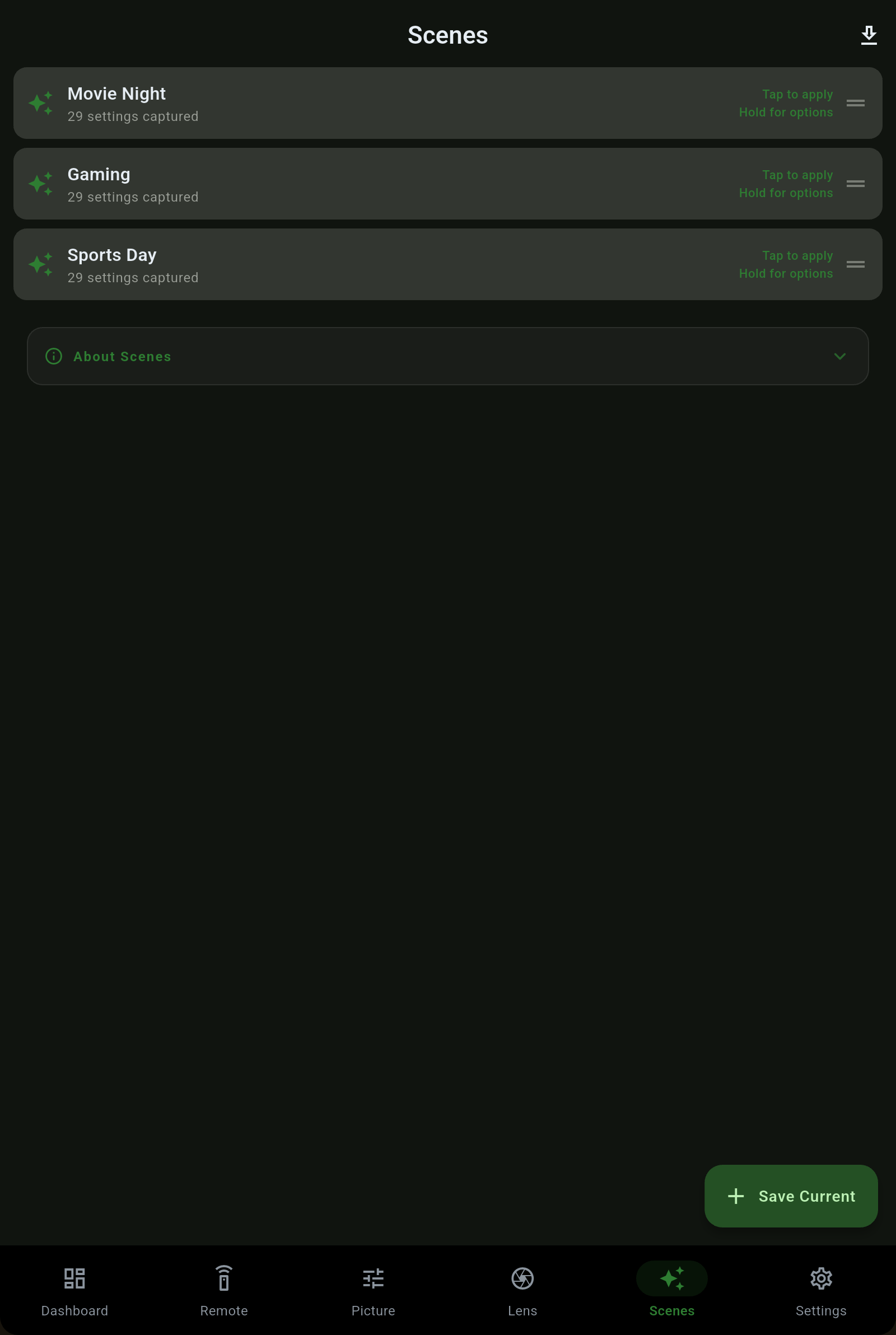
One tap for the whole room.

  • Save a Scene - power, input, picture, signal, light, geometry and audio, and pick exactly which parts to keep.
  • Apply in one tap - "Movie Night" sets the input, the picture mode and the lens memory together.
  • Every Scene becomes a Home Assistant script, so an automation or a voice assistant can run it too.
  • Shareable profiles - export a tuned Scene and hand it to a friend.
Home AutomationHome Assistant
Home automation

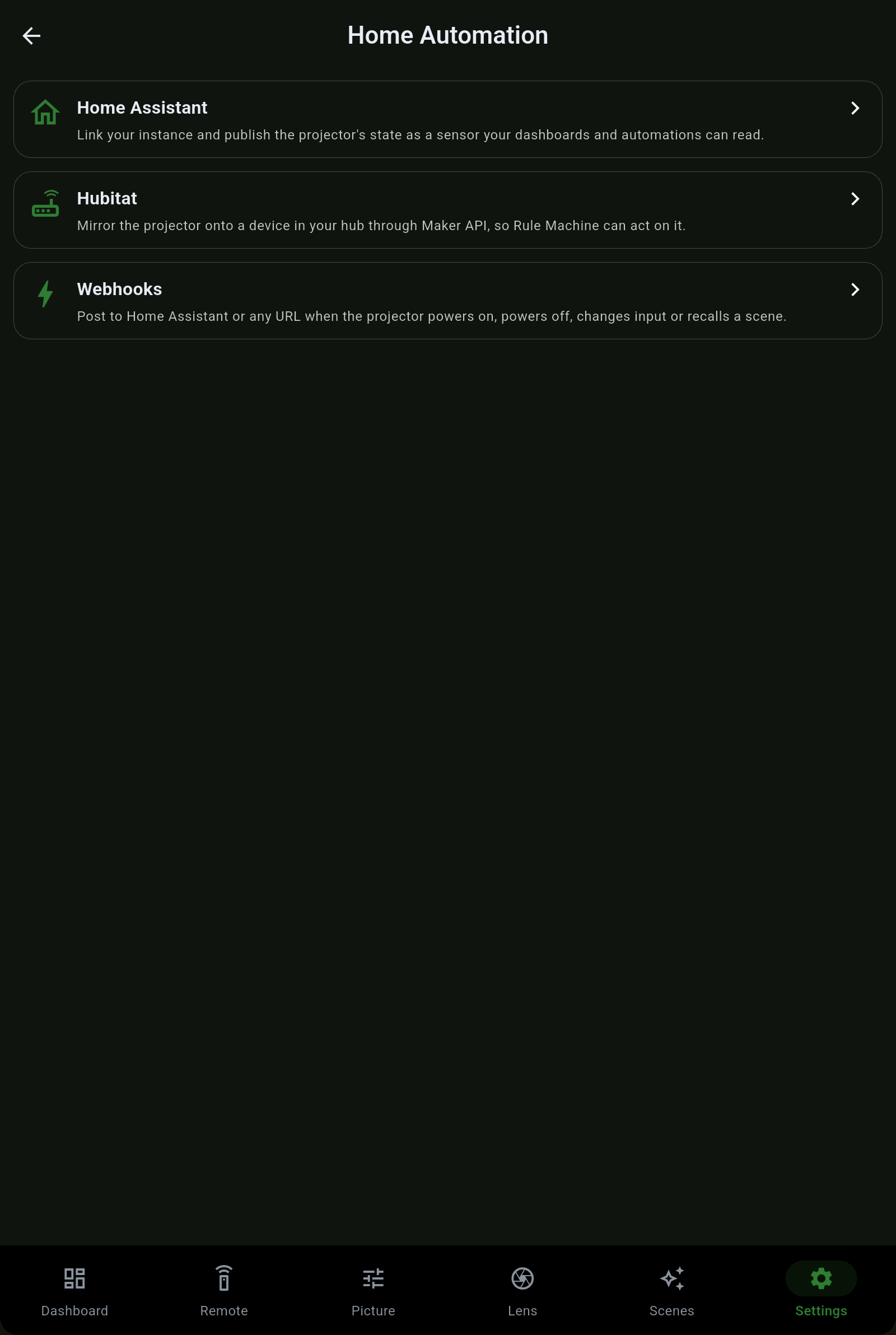
Home Assistant, Hubitat and webhooks - the real thing.

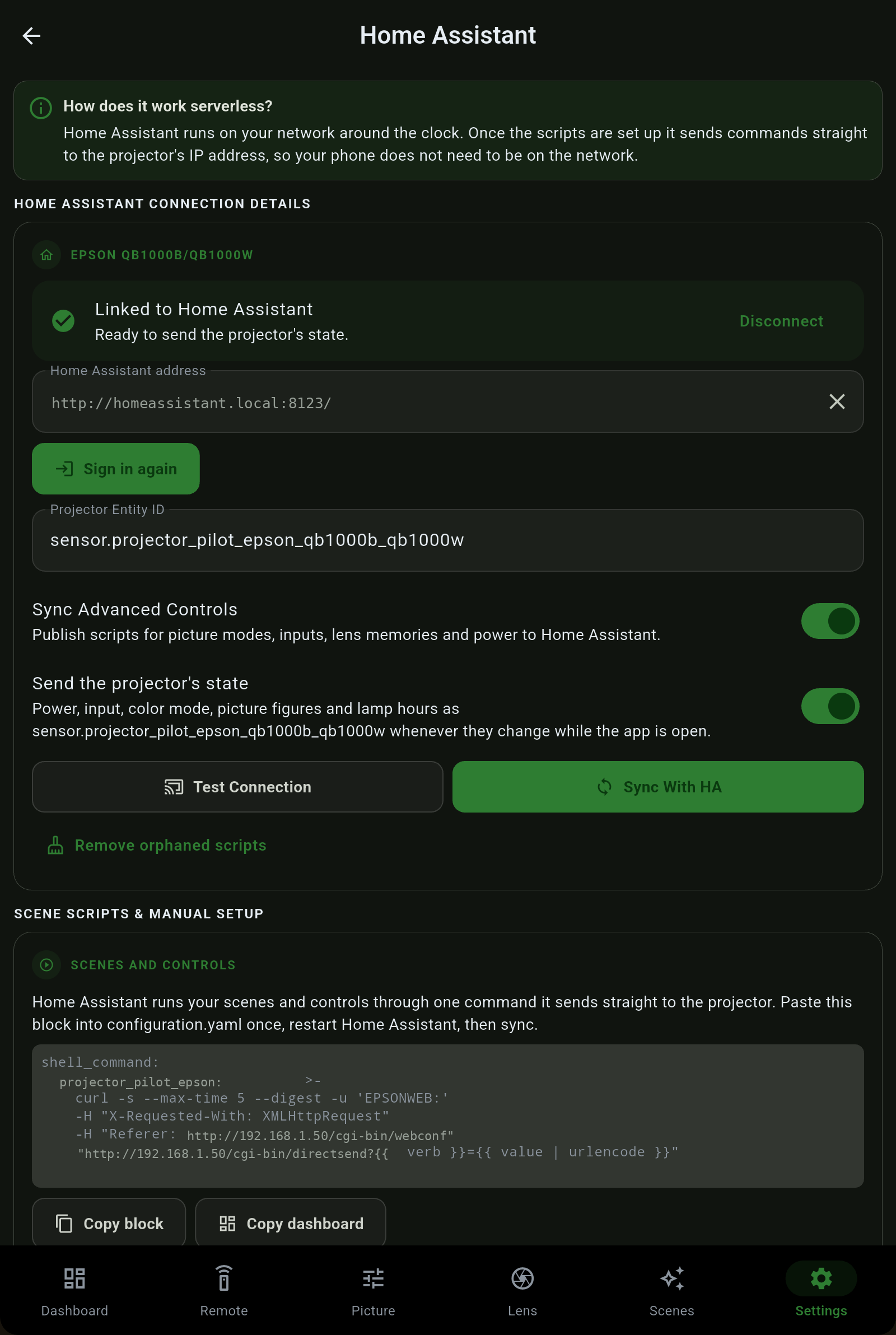
  • Home Assistant - sign in, publish the projector's state as a sensor, and paste one block to get a script for every Scene and control.
  • A ready-made dashboard - copy it into Home Assistant for a card with the state and a button for every Scene and control.
  • Hubitat - mirror the projector onto a device through Maker API so Rule Machine can act on it.
  • Webhooks - post to any URL when the projector powers on, powers off, changes input or recalls a Scene.

Read the full Home Assistant guide →

A look around

Built to feel like part of the projector.

Get the app

Coming soon to every store.

Projector Pilot is heading to Google Play, the App Store, the Microsoft Store and the Mac App Store. One purchase unlocks it on every platform you own. Follow along or read the full guide while you wait.

Google Play - coming soon App Store - coming soon Microsoft Store - coming soon Mac App Store - coming soon

Open the full user guide →   ·   See Free vs Pro →